
You just closed that window.
Now get it back.
JustNow keeps a short, local history of your screen so you can rewind to the thing you just closed and copy the bit you needed. Everything stays on your Mac; no cloud, no subscription, no AI trying to be your life coach.
(Glares at Rewind.app that got acquired and shut down.)
Free, open source, signed, notarised. Requires macOS 15+.
Why it’s useful
Rewind fast
Hit ⌘⌥J, scrub backwards, grab the thing, leave. The whole interaction takes about three seconds. ⌘⌥⇧J pauses recording when you need a moment of privacy.
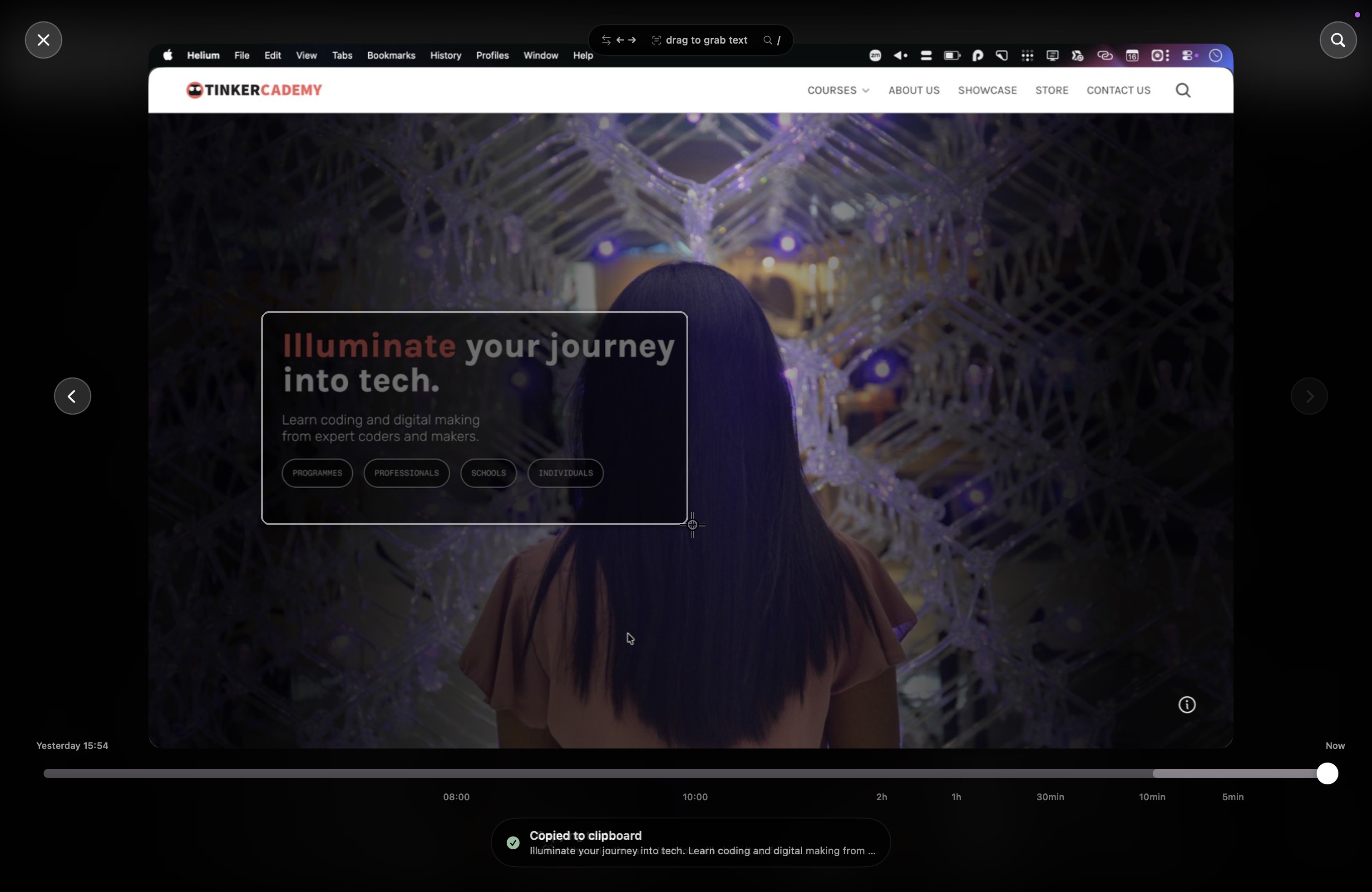
Grab text from old frames
Drag over a frame and JustNow copies the text. Handy for links, error messages, two-factor codes, and other things you definitely meant to save (but didn't).
Save the frame, or just the bit you want
⌘S saves the whole frame. Hold ⌘ and drag to save just a region, the way ⇧⌘4 works. Send it to a folder, your clipboard, or both — your call.
Search what was on screen
Type a word and jump straight to the frame where it appeared. Filter by the last five minutes or search everything. Useful for that error message you know you saw ten minutes ago.
Private by default
Everything stays on your Mac in
~/Library/Application Support/JustNow/. No cloud
sync, no analytics, no phoning home, no being dumped into model
training data.
Fuss-free
Captures every display, switches monitors from inside the overlay, throttles on battery or heat, and hides its menu bar icon if you’d rather not see it.
The boring but useful bits
- Price
- Freeeee!
- Platform
- macOS 15+
- Permissions
- Screen Recording only
- Updates
- Built-in via Sparkle
- Hotkey
- Default ⌘⌥J, fully configurable
- Licence
- MIT